Simplescraper
simplescraper.io
Scrape websites and use AI to make sense of your data.
Description
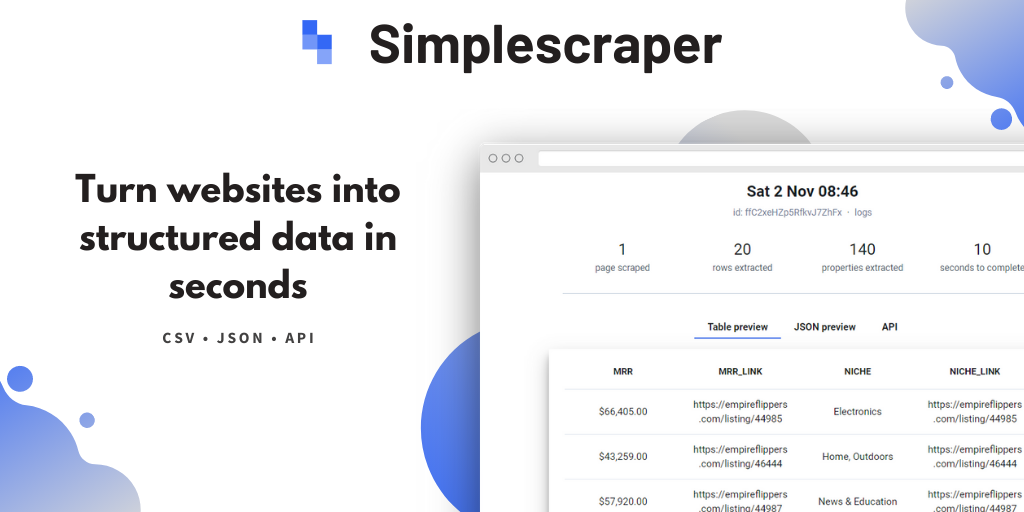
Web scraping made simple — extract data with our free Chrome extension and powerful cloud platform. Turn websites into structured data at scale, via dashboard or API.
Features
URL-based Scrape Recipe Generation
FAQ
SimpleScraper AI is an extension of SimpleScraper’s web scraping tool that uses Artificial Intelligence to enhance scraped data by enabling automatic summarization, analysis, formatting, and extracting meaning directly from the scraped datasets. This enhanced data is added as an additional column to your scrape results.
There are several steps to using the AI Enhance feature. First, select a run mode: Automatic, where AI Enhance runs automatically after each scrape before integration, or Manual, where you manually trigger it via a "Run AI" button for selective application, which does not auto-trigger integrations. Next, choose an AI prompt, either predefined ones like "Summarize text" or custom prompts for specific tasks. Then, perform data selection by choosing which scraped data properties the AI should analyze or excluding irrelevant ones. Generate an example to test the AI output with a sample row and verify the expected results before running on full data. Finally, trigger the AI by clicking ‘Run AI’ to process your scraped data and see AI-enhanced results added to your dataset.
SimpleScraper can perform various AI tasks, including automatic summarization of texts or comments, analysis and extraction of insights, data formatting and cleaning, and answering questions about the scraped data via AI.
To get started with SimpleScraper, you can use the Chrome extension to visually select and scrape data from websites, or use Smart Extract by providing URLs and data points you want, which allows AI to generate scraping recipes. Alternatively, you can use or customize prebuilt scrape recipes or have SimpleScraper build a solution for you.
Scrape recipes are reusable instructions on how to extract data from a website. You can create, save, edit, and duplicate these recipes through the dashboard or Smart Extract AI functionality.
Yes, SimpleScraper supports scraping content behind logins and from complex pages, but some manual setup or customized recipes may be required.
Scraping is responsibly rate-limited to simulate normal browsing behavior and avoid server overload. An individual scrape job is designed to be moderate, suitable for small to medium jobs.
Yes, you can schedule scrapes to run automatically in the cloud. Data can be sent directly to Google Sheets, Airtable, or through webhooks to tools like Zapier and Make (Integromat). This automation supports a smooth data workflow.
Yes, SimpleScraper provides a REST API to manage scrape recipes, run scraping jobs, and retrieve data programmatically. It requires an API key for authentication.
To migrate data or recipes from other scraping tools, export your data from those tools in CSV or JSON format and import it into SimpleScraper’s system or connected applications. Then recreate or customize scrape recipes in SimpleScraper’s platform for your scraping workflows.
Support is provided via official documentation, FAQs, and online help centers. Direct assistance can be sought via email or contact forms. Community support exists mainly in third-party forums and web scraping groups.
Yes, the tool gets frequent updates for improved stability, new features including AI enhancements, and compatibility with changing website structures. Users get update notifications via the dashboard and browser extension.
Specs
| Type | Agent |
| Section | Data & analytics |
| Pricing | free (от $0/mo) |
| Platform | Web only |
| Systems | web |
| Hosting | cloud |
| Complexity | no-code |
| Site language | en |
| Rating | 4.10 (0 reviews) |