AI Photo Editor No Sign Up
aiphotoeditornosignup.online
Edit photos with natural-language AI prompts—no sign-up required.
Description
$1a
Features
🖼️ No-Sign-Up AI Photo Editing
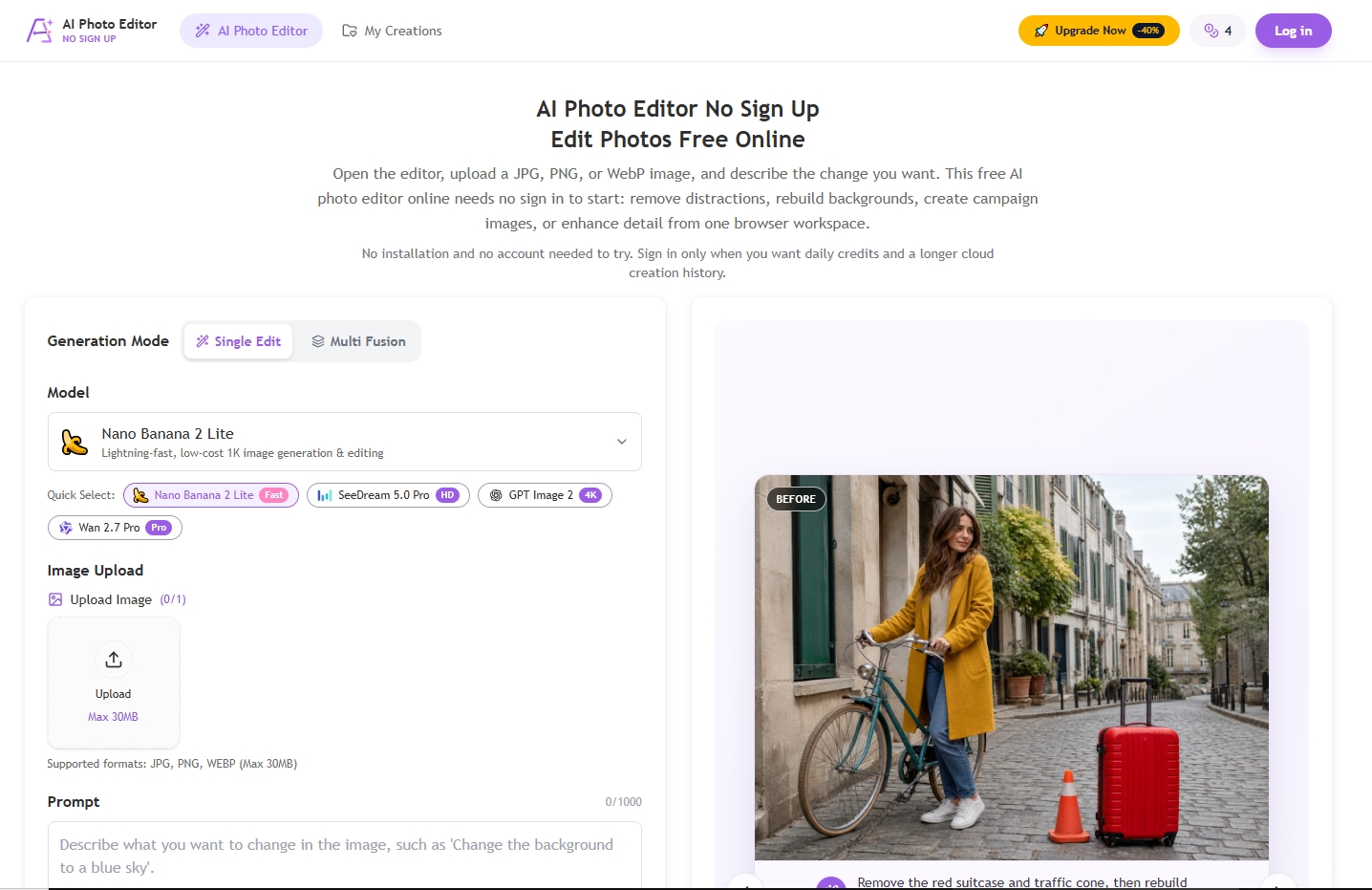
Edit photos directly in your browser without creating an account or installing software. Upload a JPG, PNG, or WebP image, describe the desired change in natural language, and generate results using free guest credits. P
🧹 Object and Background Removal
Remove unwanted objects, people, watermarks, or backgrounds with AI-powered generative fill. The model analyzes nearby colors, textures, perspective, and lighting to rebuild the area naturally. Ideal for product photos,
📈 Enhance and Upscale to 4K
Improve image quality, reduce compression artifacts, and enlarge photos up to 4K resolution. Choose from multiple AI models, aspect ratios, and output sizes to match your destination platform. Useful for store pages, sli
Use cases
Remove background for product listing
Restore old photo without signing up
Enhance blurry image for presentation
Replace background for social profile
Remove watermark from draft image
FAQ
You can open the editor and start with available guest credits before creating an account. The no sign up flow includes upload, prompt, model, and result controls. Sign-in adds daily credits and account-linked history.
Yes. New visitors can try supported edits with guest credits and no credit card. Generation is not unlimited: every model has a credit cost, and larger resolutions or multiple outputs may cost more.
They describe the same intent: editing before authentication. The homepage supports an AI photo editor no sign in or no login workflow. Sign in before generating when you want account-linked instead of temporary guest history.
Request object removal, background replacement, generative fill, style changes, or enhancement. Resolutions, ratios, output counts, and reference limits depend on the selected model.
The uploader accepts JPG, JPEG, PNG, and WebP. Current model limits are 10 MB or 30 MB per image and five to sixteen fusion references.
Yes. The responsive browser interface requires no installation. Large files and multiple references are easier on a stable connection and larger screen.
The site does not add a promotional watermark to standard downloads. Some models expose a watermark option and provider behavior can vary.
Guest My Creations shows up to eight recent items for 24 hours; it is not a backup. Download important results and sign in for account-linked history.
Commercial use depends on source-image rights, recognizable people, logos, copyrighted material, applicable law, and provider terms. The editor cannot grant rights you lack.
Compare the output with the source at full size. Check identity, hands, faces, text, logos, geometry, reflections, shadows, and repaired edges.
Specs
| Type | Tool |
| Section | Images |
| Pricing | free |
| Platform | Web only |
| Systems | Web |
| Site language | en |